Run your whole prompt list in Google Flow. At once.
FlowBatch is a Chrome side panel that sits next to Flow and generates every prompt on your list, one after another, while you do something else. Results are downloaded and upscaled automatically.
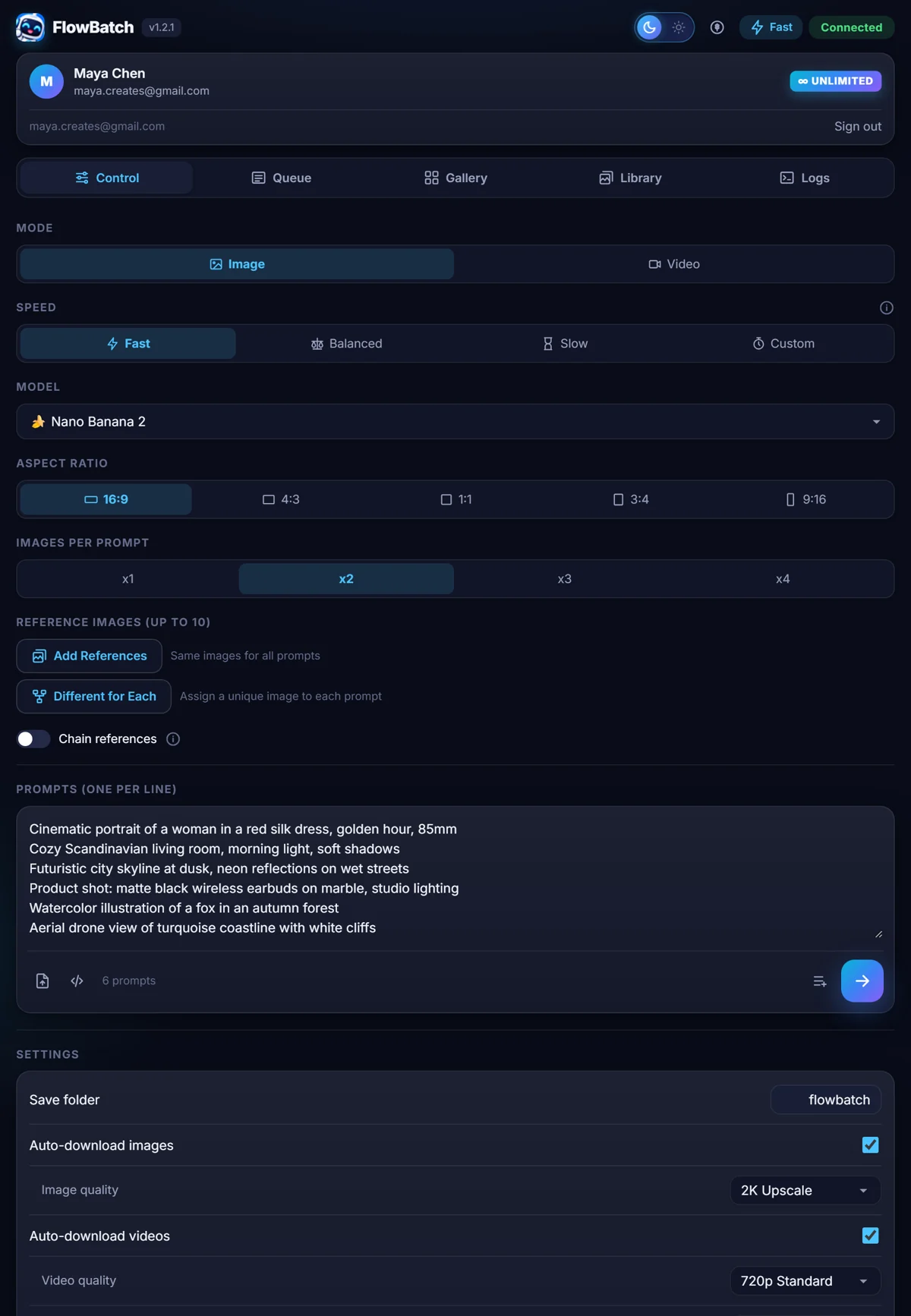
One prompt at a time is the slow part. Not the model.
Flow generates quickly. The waiting, pasting and downloading is what takes the afternoon. FlowBatch removes that part and leaves the creative work to you.
Doing it by hand
- Paste a prompt, wait, save the file, repeat.
- You have to be at the keyboard for every single one.
- Files land with random names in one big folder.
- Reference images get re-uploaded again and again.
- Lose your place and you start guessing what is done.
With FlowBatch
- Paste the whole list once and press start.
- It keeps going while you work in another tab.
- Files are numbered and saved to the folder you name.
- Reference images are uploaded once and reused.
- Every prompt shows its own status, and failures retry.
Three steps, about a minute.
Open Flow and the panel
Open a project on flow.google.com and click the FlowBatch icon. The badge turns Connected when the panel can see your project.
Paste your prompts
One prompt per line. Pick the model, the aspect ratio and how many images each prompt should make. Import a .txt or .json list if you already have one.
Press start and walk away
FlowBatch works through the list in your own Flow session. Results appear in the gallery and save themselves to your computer.
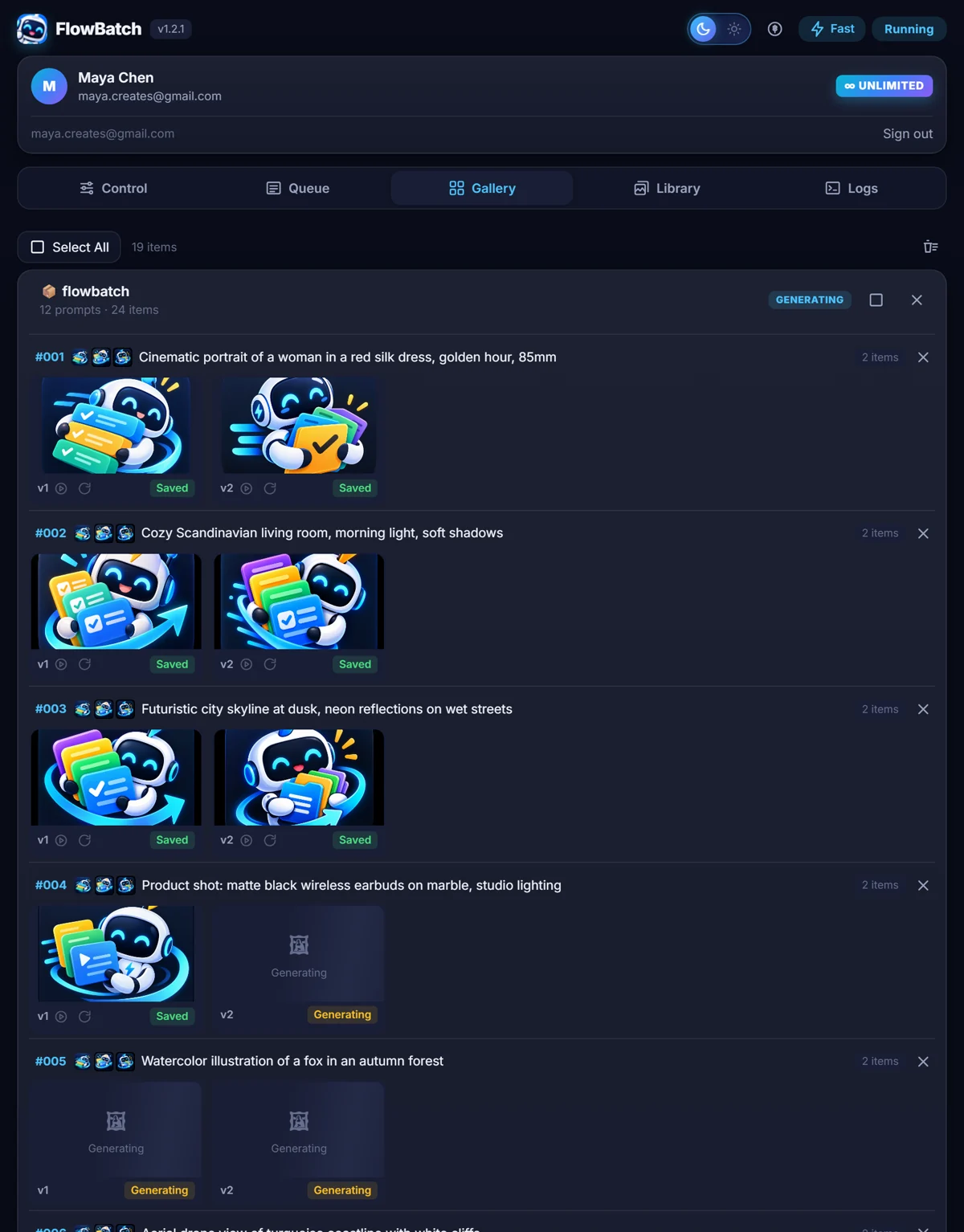
Built for lists, not single prompts.
Everything below is in the panel from the first day. There is no separate pro build.
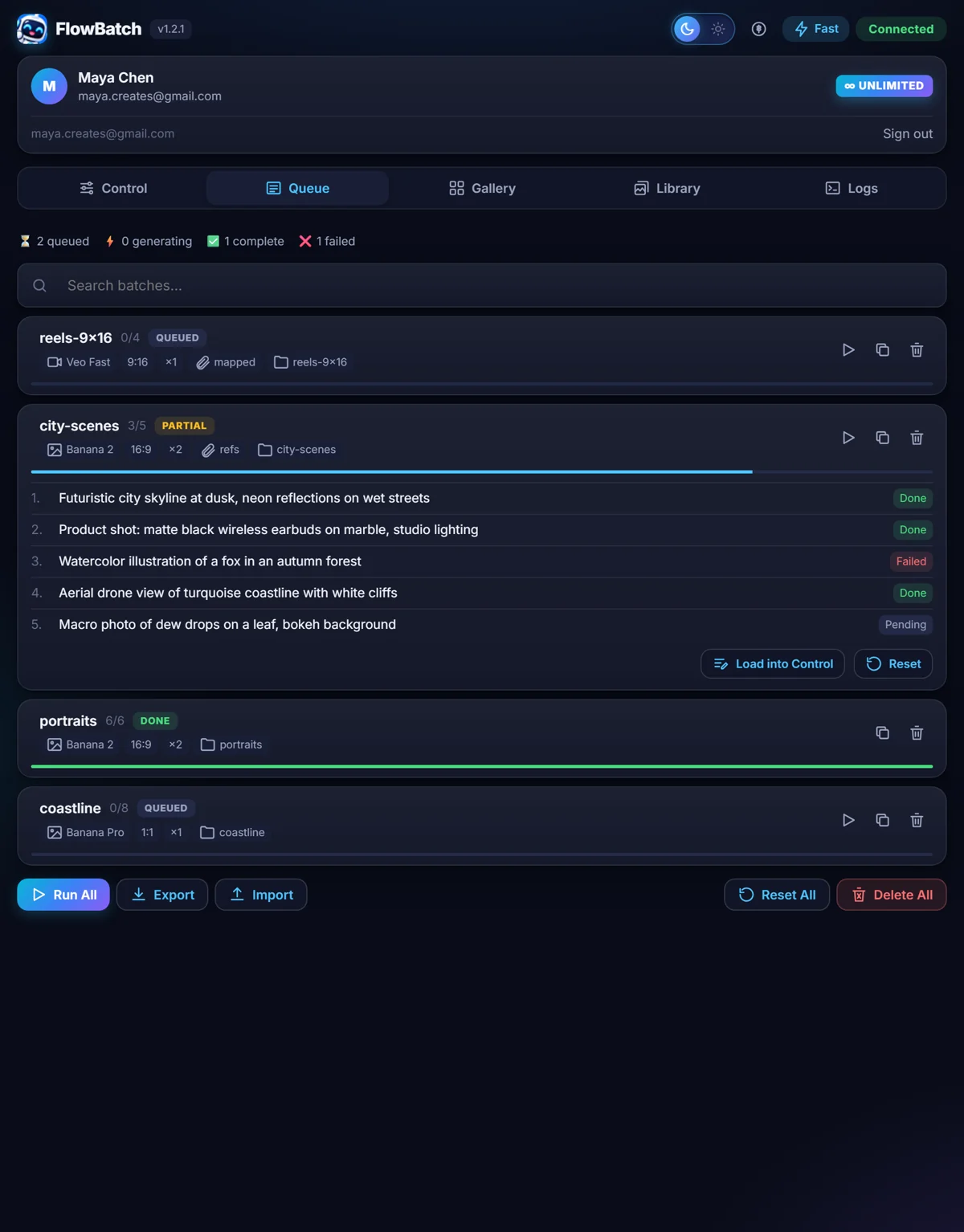
Line up batches and let them run back to back
Add a batch with one set of settings, then another with different ones. FlowBatch runs them in order. Each prompt carries its own status, so you always know what finished and what did not.
- Run one batch or run the whole queue
- Duplicate, reset or delete any batch
- Export the queue as JSON and import it again later
- Search across batches when the list gets long
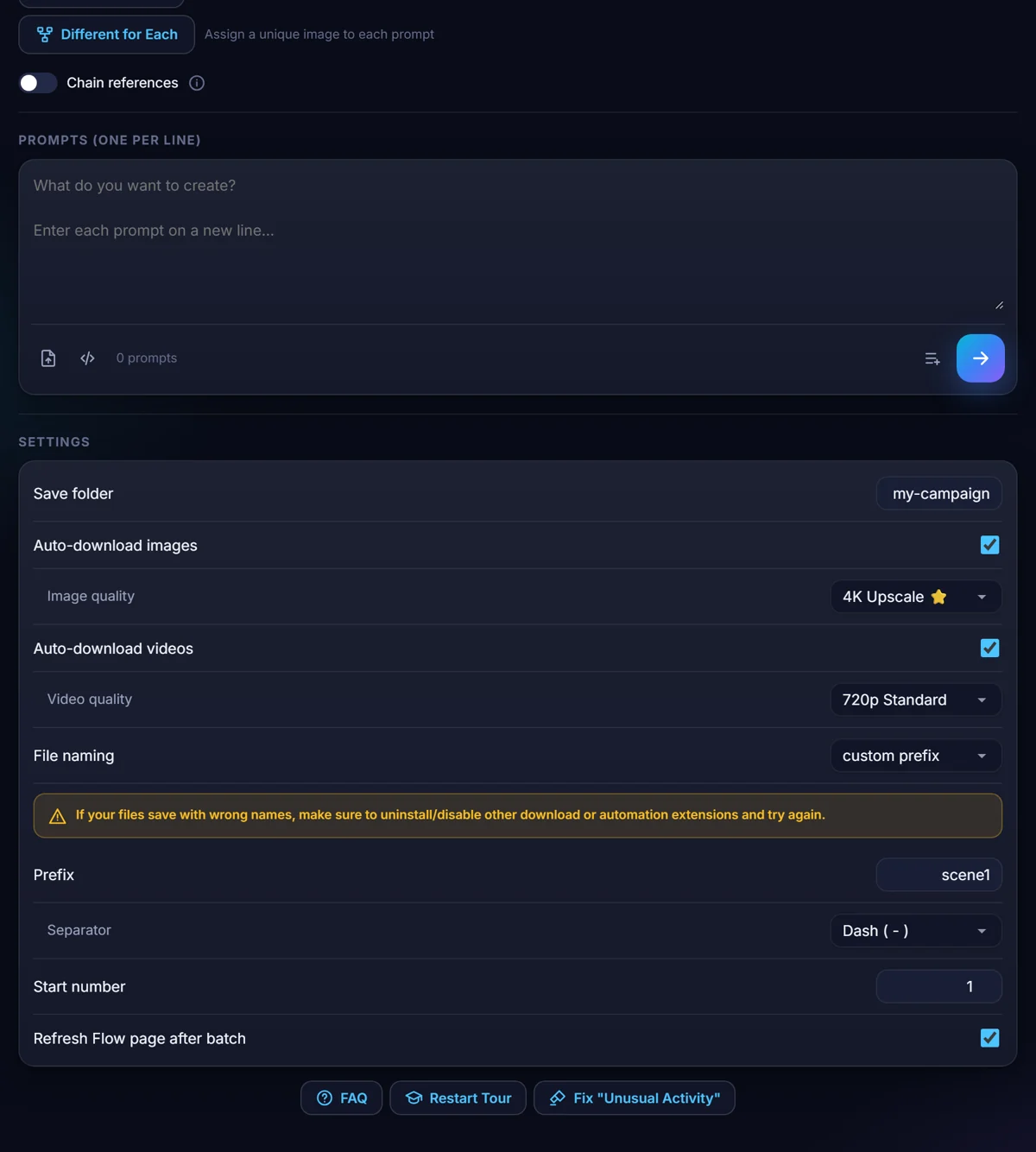
Finished files, named properly, in the folder you chose
Every result is saved as it arrives. Name the folder once and pick how files should be numbered. Images can be upscaled to 2K or 4K on the way out, and videos saved at the quality your Google plan allows.
- Numbered files, or your own prefix and start number
- 2K and 4K image upscaling
- Each batch can save to its own folder
- Nothing to sort by hand afterwards
A different reference image for every prompt
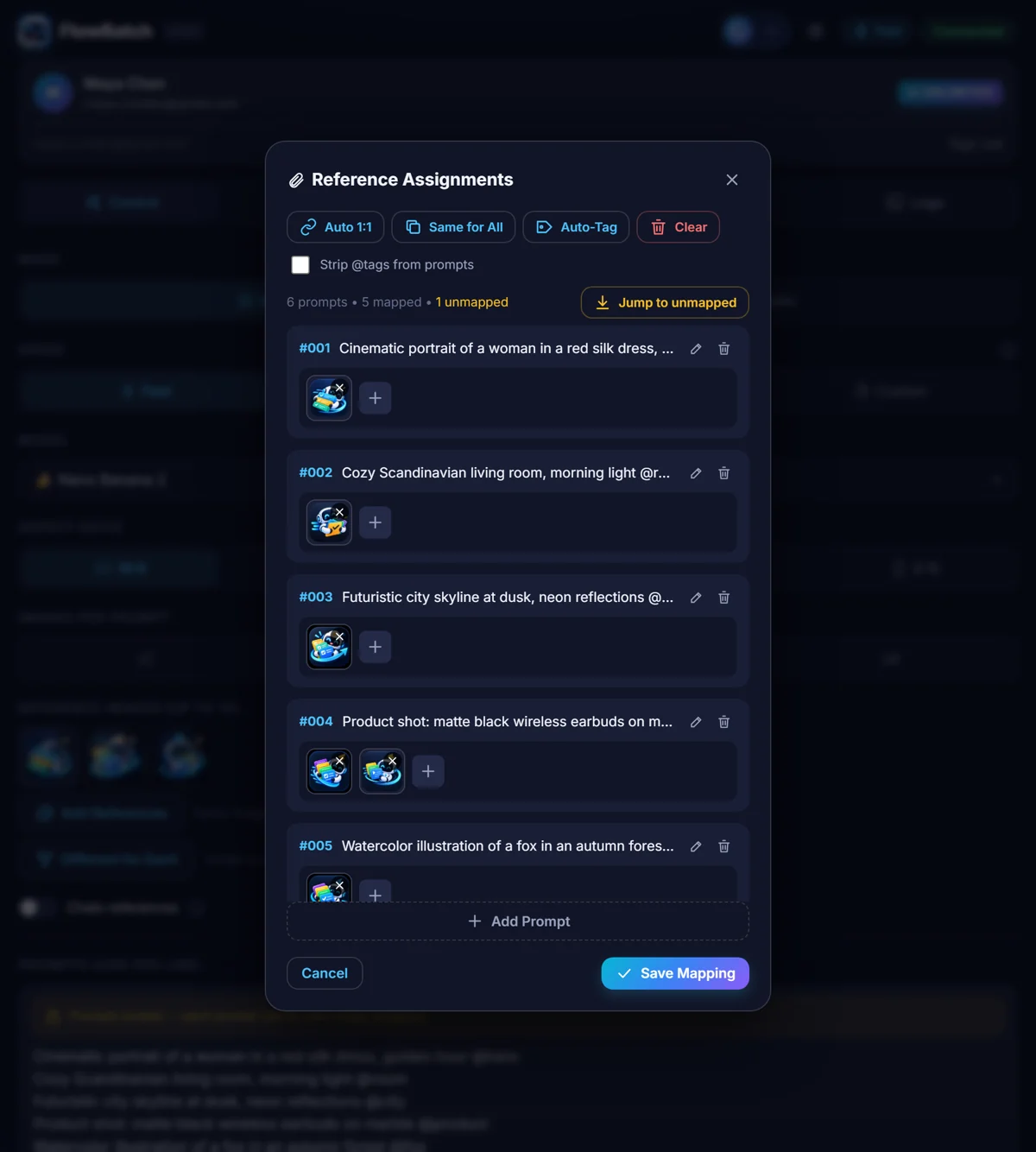
Keep your reference images in the built-in library with tags. Give the whole batch the same references, or open the mapper and give each prompt its own. Type a tag like @hero in a prompt and let Auto-Tag match the right image.
- Auto 1:1 pairs your files with prompts in order
- Up to ten references per image prompt
- Chain mode feeds each result into the next prompt
- Uploaded once per project, then reused
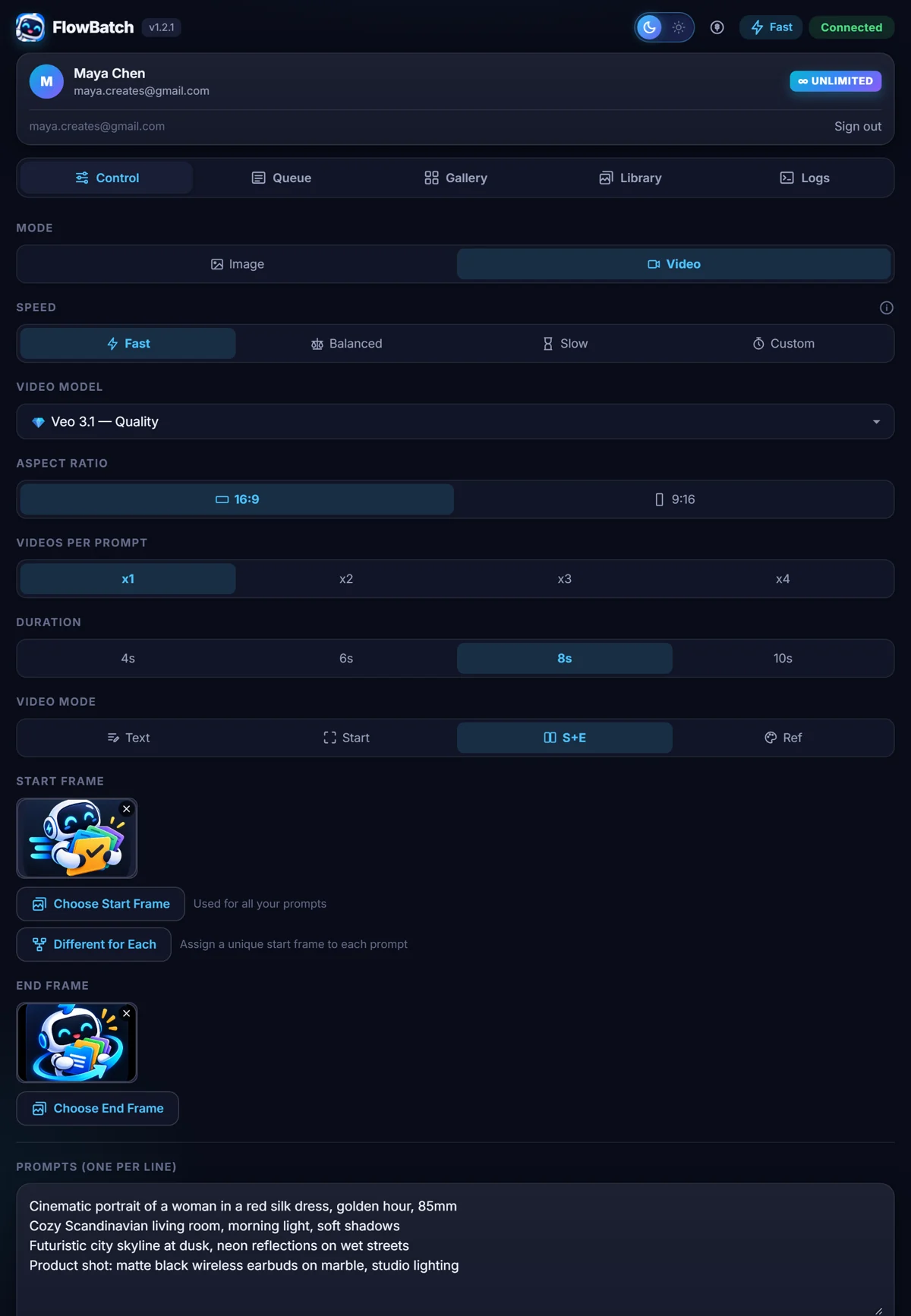
Veo batches with start and end frames
Switch the panel to video and the same list works for clips. Choose the Veo model, the length and the ratio, then pick how each clip starts: from text, from a start frame, from a start and an end frame, or from reference images.
- 4, 6, 8 or 10 second clips
- Continue from last frame links clips into a sequence
- Landscape or vertical
- Video generation uses your own Flow credits
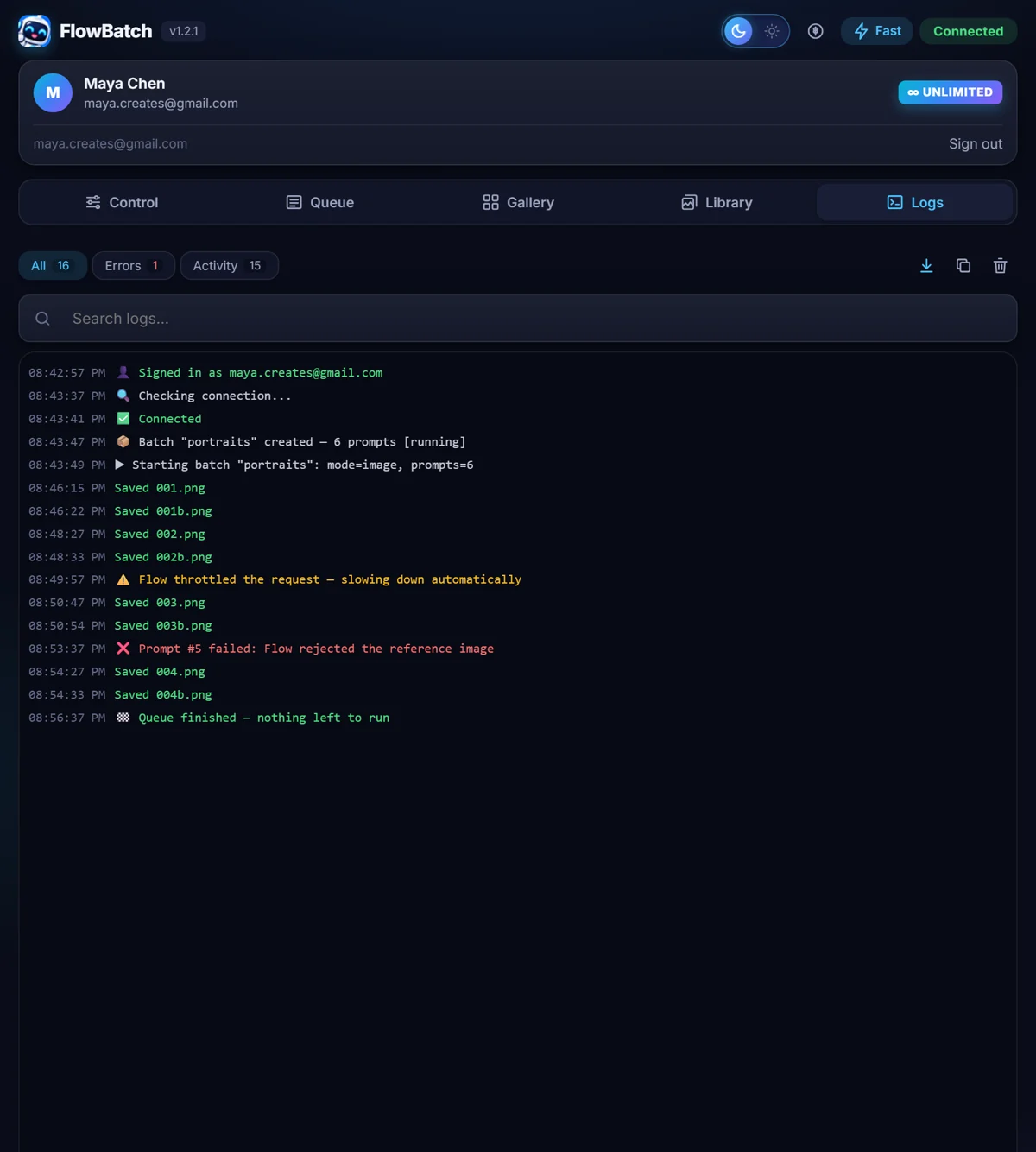
It slows down before Google does
Fast runs several generations at once. If Flow starts throttling, FlowBatch notices and eases off by itself instead of failing the batch. Choose Balanced or Slow for long overnight runs, or set your own delay.
- Four speed modes including a custom delay
- A full activity log you can filter, copy or export
- Failed prompts are refunded and can be retried
- Light and dark themes, and a short built-in tour
Everything is free while we launch.
Every signed-in account is unlimited right now. When the launch period ends, accounts that joined during it get a day of unlimited use and a notice in the panel first. No surprises.
Sign in with Google and run as much as you like.
- Unlimited prompts, images and video batches
- Every feature, including 2K and 4K upscaling
- No payment details asked for at any point
A free plan stays: 30 prompts a day, plus 24 unlimited hours when you first sign in.
- Unlimited removes the daily cap
- One line counts as one prompt, whatever the image count
- Cancel any time, billed through Lemon Squeezy
FlowBatch does not sell generation. You are using your own Google Flow account, and video generation spends your own Flow credits exactly as it does when you work in Flow by hand.
Your prompts and pictures stay between you and Google
FlowBatch types into your own Flow session. Prompts, reference images and everything generated go straight to Google, exactly as they would if you used Flow by hand. They are never sent to us.
- Our server only sees your sign-in, how many prompts you ran, and your plan
- Results are saved by your browser straight to your Downloads folder
- Payments are handled by Lemon Squeezy, so we never see card details
- Ask us to delete your account and everything with it, any time
Straight answers.
Do I need a paid Google account?
You need a Google account that can use Google Flow. FlowBatch works with whatever your account already has. Video generation spends your Flow credits, and 4K upscaling needs Google AI Ultra, because both of those come from Google rather than from us.
Is this allowed? Will my account get in trouble?
FlowBatch does the same actions you would do by hand, in your own browser and your own session. It does not use hidden accounts or shared keys. That said, it is an independent tool and is not affiliated with or endorsed by Google, and you are responsible for following Google's terms. The Slow speed exists for a reason: if you push very hard, Google may throttle your account for a while.
What happens if a prompt fails?
The prompt is marked as failed in the batch and the log tells you why. Failed prompts do not count against your daily limit, and you can retry just the ones that failed rather than the whole batch.
Can I close the tab while it runs?
The Flow tab has to stay open, because the work happens inside it. You can switch to other tabs and use the rest of your computer normally. If the panel is closed and reopened mid-batch it picks the run back up.
Where do my files go?
Into your normal Downloads folder, inside a subfolder you name in the panel. You choose how files are numbered, so a batch arrives as 001, 002, 003 or with your own prefix.
How long is the launch period?
It runs for the first weeks after release. When it ends, everyone who joined during it gets 24 more hours of unlimited use and a message in the panel explaining the change, so nobody is cut off in the middle of a batch.
Which browsers work?
Chrome 116 or newer on desktop. The extension uses Chrome's side panel, so it does not run on mobile.
Flow changed something and generation stopped. Now what?
Flow updates its internals from time to time. Do the same action once by hand in Flow, for example generate a single image, and FlowBatch relearns it automatically. The guide has a section on this.
Your next hundred prompts can run themselves.
Install the extension, open Flow, paste a list. The first batch takes about a minute to set up.
Add to Chrome, freeFree and unlimited during launch. No credit card.